
What to do if your website is hacked: the first 24 hours
Found out your website has been hacked? Here is what to do in the first 24 hours, in order, who can do each step, and what comes after.
Here is what to do if your website is hacked, in the order that limits the damage. Write down what you see, and ask your host to take the site offline. Keep a copy of the hacked site before anything is deleted. Change every password from a computer you trust, and remove logins you didn’t create. Then find out when and how the hacker got in, clean the site or rebuild it, close the way in, and ask Google to lift any warning.
Most of that fits into the first day; the clean-up and Google’s review can take longer. You are not the only one this happens to: as at 2 October 2026, Google’s Safe Browsing site status page says Google finds thousands of new unsafe sites every day, many of them legitimate websites that have been compromised.
Your first 24 hours at a glance
| When | What to do | Who can do it |
|---|---|---|
| Straight away | Write down what you see and when you noticed it | You |
| First hour | Take the site offline, or put up a holding page | Your host |
| First hour | Tell your host the site has been hacked | You |
| First hour | Have a copy of the site made, labelled infected | Your host or developer |
| First few hours | Scan the computers used to log in, then change every password | You, with your host |
| First few hours | Remove logins you didn’t create, on the site and in Search Console | You or your developer |
| Same day | Check Google’s warnings and the Security Issues report | You |
| Same day | Work out when it started, what it did and how the hacker got in | Whoever cleans the site |
| After that | Restore, clean or rebuild; close the way in; change the passwords again | Your developer, or us |
| Last | Bring the site back and ask Google for a review | Your developer, or us |
How do you know your website has been hacked?
Usually from a warning rather than from the site itself: a label on your Google listing, a browser warning, a Search Console alert, or a customer telling you. Google’s FAQ for hacked sites lists other common signs: unusual traffic spikes from unrelated search terms, visitors reporting malware, new administrator accounts, and suspicious new pages.
The wording of the warning tells you the kind of hack. Google’s guide to sites hacked with malware says that a site with malware typically shows “This site may harm your computer” in search results or on a warning page in the browser, while a site hacked with spam shows “This site may be hacked” in search results. The same guide says Search Console warns you when it detects many types of malware and other hacks.
You may not see a warning yourself. Google’s help page for the Security Issues report says browser warnings depend on the browsing context, so you may not be able to reproduce them, and that you should rely on the report as the source of truth. Three ways to check:
- Search Console, Google’s reporting tool for site owners. If your site is verified there, the Security Issues report shows what Google found, with sample pages and the date each issue was first detected.
- A site: search. Search Google for site: followed by your address, with no space (site:yourbusiness.co.za). The same help page suggests this on a small site, to spot pages you didn’t create.
- Google’s Safe Browsing site status page. The page linked above lets anyone check whether a website is currently dangerous to visit.
Don’t click through suspect pages in your own browser: the help page warns that malware often spreads through browser weaknesses, so opening an infected page may damage your computer. If visitors are being sent to casino or other spam sites, how casino redirects and other SEO-spam hacks work explains what you are seeing.
The first hour: contain it
Write it down
WordPress.org’s guide for hacked sites starts with staying calm, and calls documentation the first actionable step: what makes you think the site is hacked, what time you noticed, and what you changed recently, such as installing a plugin or changing the theme. That note becomes the incident report, useful whoever does the clean-up. Add screenshots of any warnings.
Take the site offline
Ask your host to take the site offline, or to show a holding page served from outside the hacked site. Google’s guide to quarantining a hacked site says a site taken completely offline can be worked on with less interference from the hacker, while its harmful code and spam are kept away from visitors. It adds that taking a site offline for a while during recovery is unlikely to affect how it ranks later. A holding page can still tell customers how to reach you.
Tell your host
Google’s advice on building a support team says that your host can make sure its other customers weren’t affected, and may be able to help recover your site. WordPress.org’s guide adds that a hack may reach beyond your site, especially on shared hosting, and that your host may be able to tell a real hack from a loss of service.
Keep a copy before anything is deleted
Don’t start deleting strange files yet. Have a full copy made of the site as it is now, files and database, and label it infected. WordPress.org’s guide recommends one more snapshot before cleaning, even an infected one, and Google’s guide to cleaning a hacked site says an extra copy helps you recover content deleted by accident, or go back and try again.
The next few hours: lock the hacker out
Check the computers you log in from
Hacks don’t always start on the server. Google’s guide to finding the vulnerability lists an administrator’s virus-infected computer among the possible ways in, since spyware on it may record what is typed, and recommends running reputable antivirus scanners on every computer used to sign in to the site. Do this before you type any new passwords.
Change every password
Change the password on everything that touches the site, for every user, not only yours. Google’s quarantine guide lists the logins for file transfer (FTP), the database, system administrators and the content management system, such as WordPress; WordPress.org’s guide adds your host’s control panel, and everyone with access. Make each password long and unique, and turn on two-step login (two-factor authentication) where you can, as WordPress.org’s guide recommends. WordPress.org’s guide and Google’s cleaning guide both say to change them again once the site is clean.
Remove logins you didn’t create
Go through the site’s list of users. Google’s quarantine guide says to check whether the hacker created accounts, write down their names for the investigation, then delete them so the hacker can’t log in with them again. Do the same in Search Console: Google’s guide to using Search Console after a hack warns that a hacker may already have verified ownership there and changed settings, so check that every user and owner listed is authorised.
If the hacker has taken over your administrator account, WordPress.org’s guide says that is not a reason to panic, and sets out ways to regain control. If you can’t get in because whoever built the site holds the logins and has stopped answering, taking over a website when your developer has disappeared deals with that.
Later that day: work out what happened
Before anyone cleans anything, get three answers: when the hack started, what it did, and how the hacker got in.
When it started
The start date decides which backup you can trust. Google’s vulnerability guide says understanding when the hack first took place helps determine which backups might still be clean. Compare your notes with the Security Issues report, which shows the date Google first detected each issue, and ask your host what its logs show and how far back its backups go.
What it did
Google’s help page for the report sorts security issues into hacked content, malware and unwanted software, and social engineering, such as content that tricks visitors into revealing confidential information.
If the site holds customer details, from enquiry forms, accounts or orders, find out whether they could have been reached. Google’s cleaning guide says that if confidential user information was obtained, you may want to consider any business, regulatory or legal responsibilities before you begin cleaning the site or deleting any files.
Check your email too. WordPress.org’s guide warns that when a hacked site is used to send spam, the server’s address can be blacklisted, and that the same server is often used for email. If customers say your emails aren’t arriving, tell your host.
How the hacker got in
Google’s FAQ lists software vulnerabilities, leaked or guessed passwords, administrator pages with no login, and social engineering such as phishing among the ways in. Finding it matters. Google Search Help on the “This site may be hacked” message says to fix the security issue that let the site be infected; otherwise the site is likely to be reinfected. Google’s vulnerability guide adds that there may be several independent hacks in place, so keep looking after you find one.
WordPress.org’s guide says that working out how attackers got in is, in many cases, very difficult for site owners.
You don’t have to find it yourself, but you do have to make sure someone does. Ask whoever cleans the site to tell you, in writing, how the hacker got in and what closed it, and for the list of plugins and themes that were out of date. Out-of-date plugins and themes are a common answer; the last section says why.
Should you restore a backup, clean the site or rebuild it?
Restore a backup if you have one from before the hack started. Clean the site if you don’t, and it is worth keeping. Rebuild it if it is too old or too damaged to be worth saving. Whichever you choose, update everything, close the way in and change the passwords again before it goes back online.
| Restore a backup | Clean the site | Rebuild it clean | |
|---|---|---|---|
| When it fits | You have a backup made before the hack started | There is no clean backup, and the site is worth keeping | The site isn’t worth saving |
| What it involves | Restoring the backup, then checking nothing from the hack survives in it | Removing every hacked file, page and database entry | A fresh install, with only content known to be clean brought across |
| What to watch | A backup made after the hack began may contain it | An infected file left behind makes another hack more likely | Our price starts higher than for a clean-up |
Google’s cleaning guide says to check first that a backup was made before the site was hacked. Whichever route you take, it recommends a clean installation of the software rather than an upgrade, because upgrades can leave old files behind, and an infected file left on the server makes the site more likely to be hacked again. It also suggests removing software the site no longer uses, and restoring only files known to be clean. Our hosting takes daily off-site backups, and a restore from backup is included.
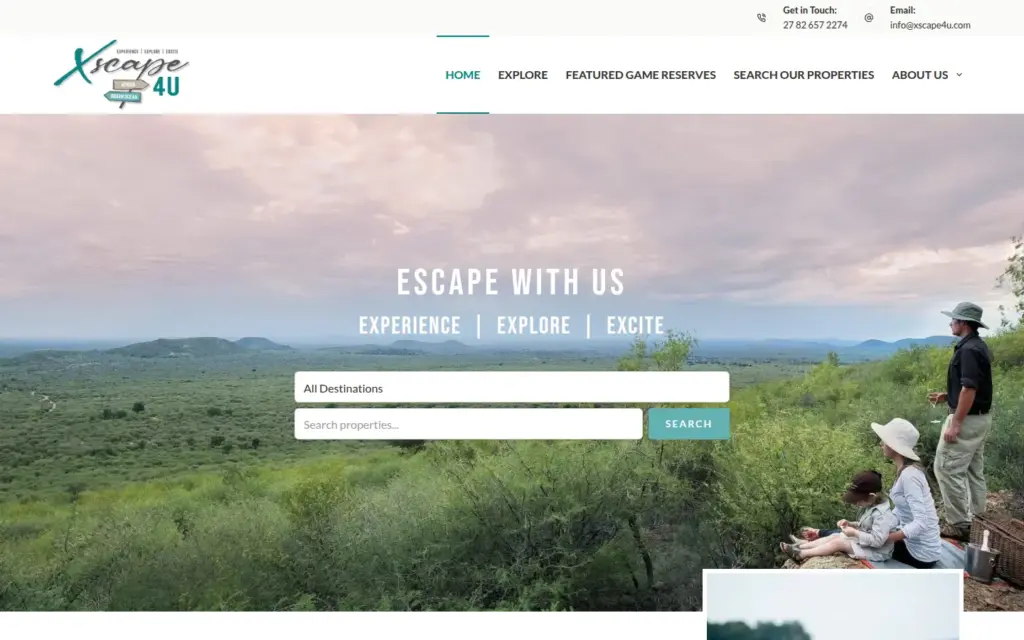
We took the rebuild route for Xscape4u, a tourism and accommodation site that was referred to us after a compromise: links to offshore casino sites were being injected into it. The developers who had been helping could not fix the compromise, and Xscape4u chose to move to us. We rebuilt the entire platform, extracted the site’s data, left the hacked content out, and delivered it clean, with encryption and Wordfence.
How do you get Google’s warning removed?
Once the site is clean and back online, request a review in Search Console’s Security Issues report, saying what you fixed. Google Search Help says the “This site may be hacked” message stays until the site’s owner takes action. A review takes from about a day to several weeks, depending on the hack.
As at 2 October 2026, Google’s guide to requesting a review says reviews for sites hacked with spam can take up to several weeks, malware reviews a few days, and phishing reviews about a day. If Google finds the site clean, warnings in browsers and search results are removed within 72 hours. Ask too early and you lose time: the guide warns that requesting a review while the problem still exists only prolongs the time the site is flagged as dangerous. The request has to come from a verified owner in Search Console.
Fix the issue on every page first: Google’s help page for the Security Issues report says fixing only some pages won’t earn a partial return to search results.
Can you fix a hacked website yourself?
Some owners can. Google’s advice on building a support team says fixing a hacked site yourself takes the ability to read and understand code, use command-line server tools and possibly change the web server’s configuration, and suggests a qualified professional if you feel ill-equipped. The first-hour steps above are yours to take either way.
If you hand it over, your options are your host, whoever built the site, or a website rescue service. Our website rescue clean-up starts at R5,200 incl. VAT. It covers a response within 24 to 48 hours, malware removal, hardening (making the site harder to break into), Wordfence set-up and, if Google has flagged the site, a request for Google to review it. On top of that, the site goes onto one of our care plans for at least three months, from R975 a month incl. VAT.
If the site isn’t worth saving, we rebuild it instead: a clean install, rebuilt better, with your content brought across. A rebuild starts at R15,000 incl. VAT, quoted after an assessment of R2,220 incl. VAT that is credited against the work. On a care plan, a site that is down gets a response within four business hours.
How do you stop it happening again?
Keep WordPress, its plugins and its theme updated, remove what the site doesn’t use, use strong, unique passwords with two-step login, keep the computers you log in from secure, and take regular automated backups. Google’s cleaning guide sets out most of these as the long-term plan after a hack.
Google’s page on the top ways sites get hacked calls outdated or unpatched themes and plugins a major source of vulnerabilities, and warns that attackers commonly add malicious code to free versions of paid plugins and themes.
Our care plans do the upkeep: core, plugin and theme updates tested on a staging copy of your site first, daily off-site backups (at least seven days kept, restore included), Wordfence monitoring and uptime alerts, from R975 a month incl. VAT with our hosting included. The plans are on our website maintenance page, and what Wordfence does, and what it cannot do on its own explains where a security plugin stops.
If your site has been hacked and you would rather hand it over, start with our website rescue service. Get a quote: tell us what you are seeing, and we will reply on the same business day.
Frequently asked questions
What happens if my website gets hacked?
A hacker uses it for their own ends, such as spam links, redirects, malware or stealing customer data, as Google’s FAQ for hacked sites sets out. Google’s Security Issues help says it may then show a warning in search results or in browsers. WordPress.org’s guide lists a host disabling the site among the signs of a hack, and warns that email from the same server can be blacklisted.
Can a hacked website be recovered?
Yes. WordPress.org’s guide for hacked sites says you might lose some money and take a hit to your brand, but that you will recover. There are three routes: restore a backup from before the hack, clean the site, or rebuild it and bring only clean content across, as we did for Xscape4u. Which fits depends on your backups and the state of the site.
How to fix a hacked website?
Take it offline, keep a copy, and change every password from a clean computer. Then find out when and how the hacker got in, and restore a clean backup, clean the site or rebuild it. Update everything, close the way in, change the passwords again, bring the site back online, and request a review in Search Console if Google flagged it.
What is the first thing you do when you get hacked?
Stay calm, and write down what you are seeing and when you noticed it: WordPress.org’s guide calls documentation the first actionable step after a hack. Then ask your host to take the site offline, keep a copy of it as it is, and change your passwords from a computer you have scanned for viruses.